Free on Android and the web
Split expenses, stay friends.
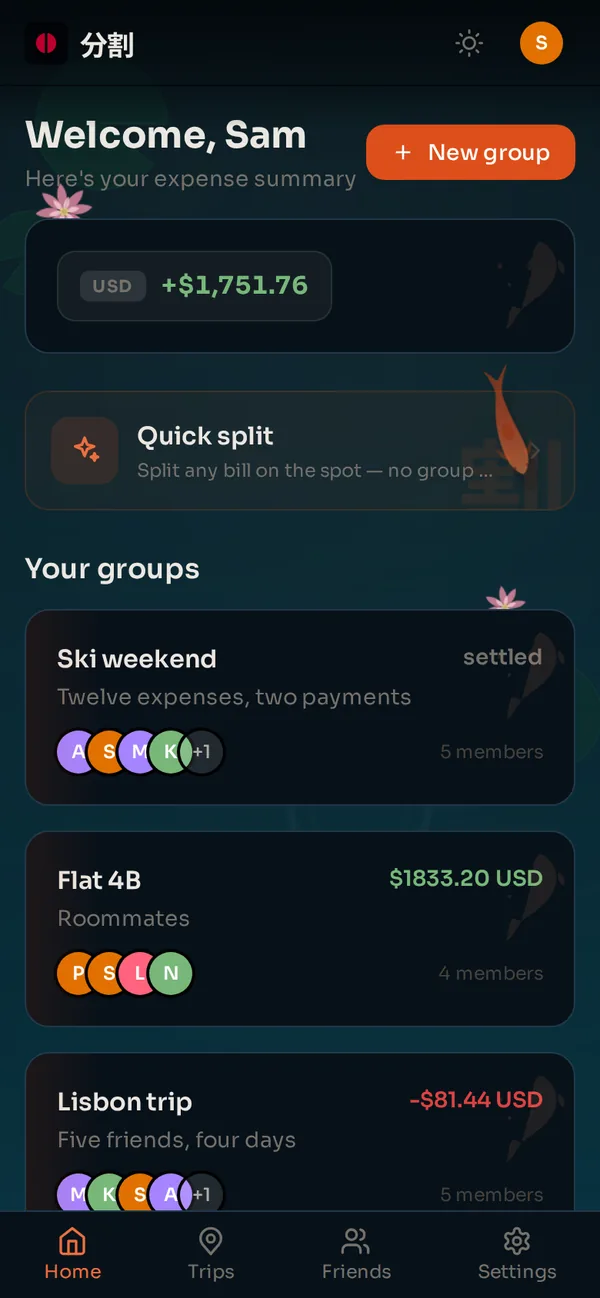
Bunsu keeps the running tab for a trip, a flat or a dinner. Add expenses as they happen, see who owes what, and settle the whole group with the fewest payments. For trips, the itinerary lives right next to the money.
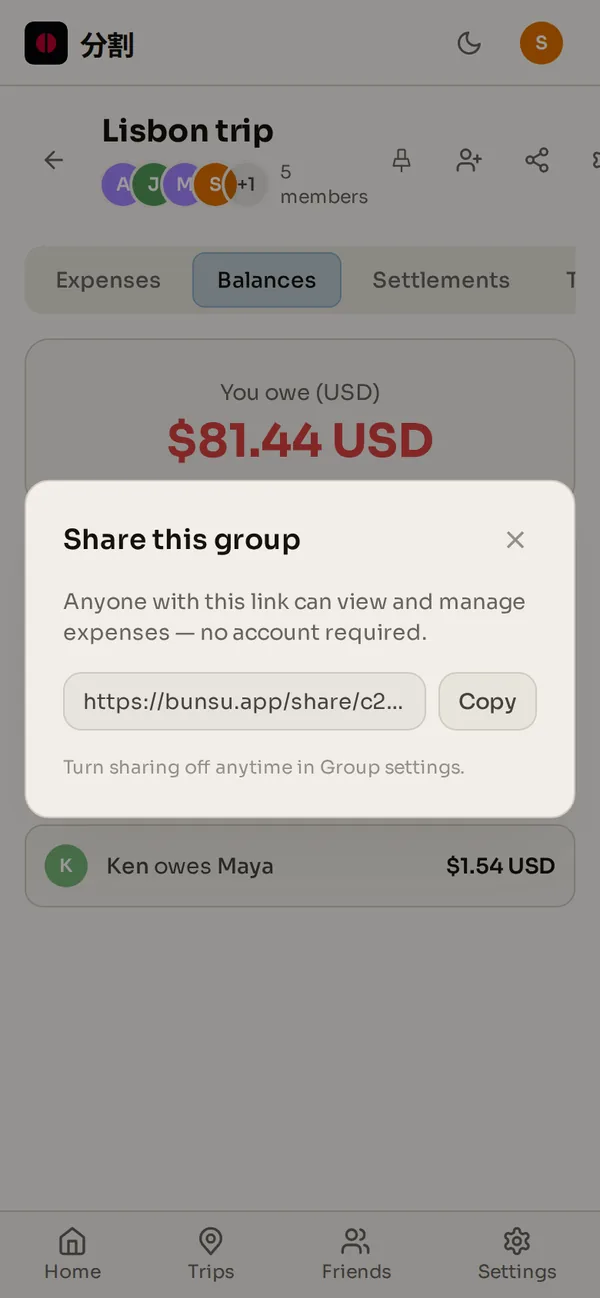
No ads, no daily limits. Friends without the app follow along, and add expenses, through a link.
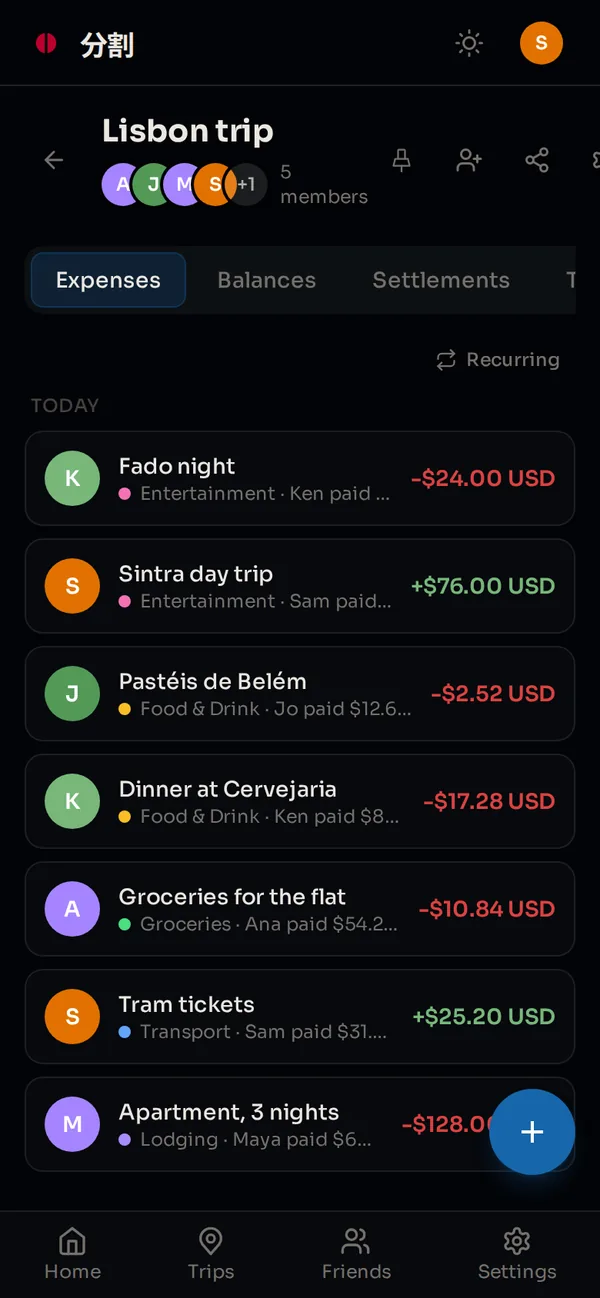
How Bunsu works
Step 1
Create a group
A house, a trip, a dinner. Invite friends, or add guests who do not have the app yet.
Step 2
Add expenses as they happen
Split equally, by exact amounts, by percentage or by shares. Every line shows who paid and what your share is.
Step 3
Settle up in one tap
Bunsu simplifies the debts automatically, so fewer payments cover everyone.
Trips
Plan the trip in the same place you split it.
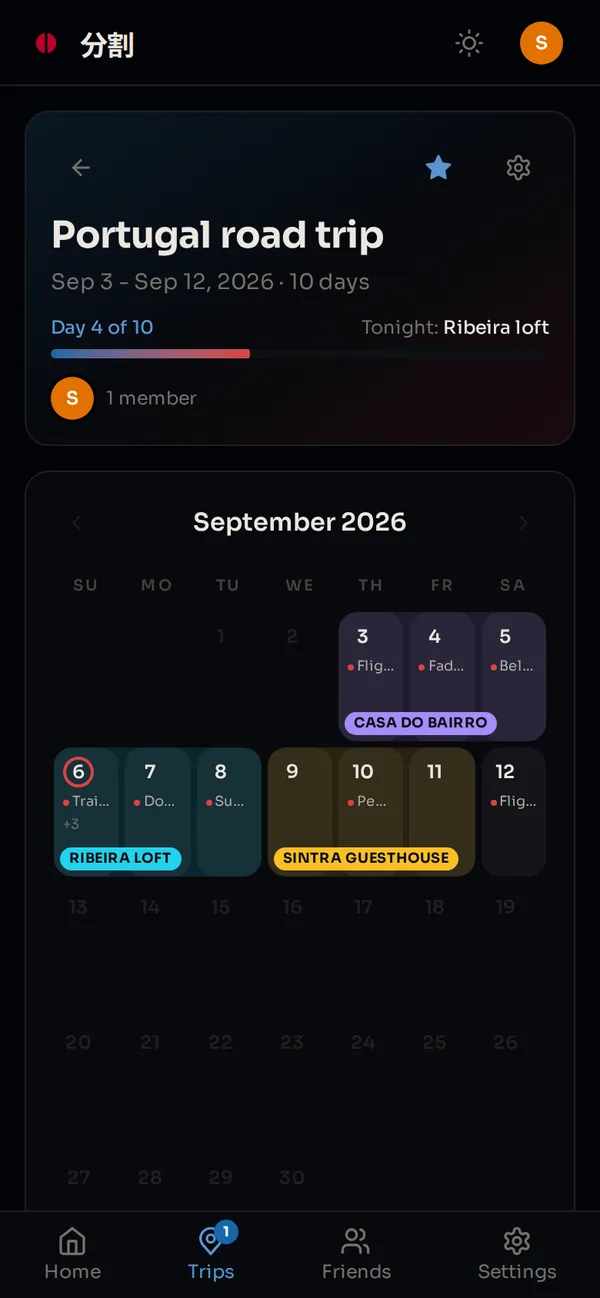
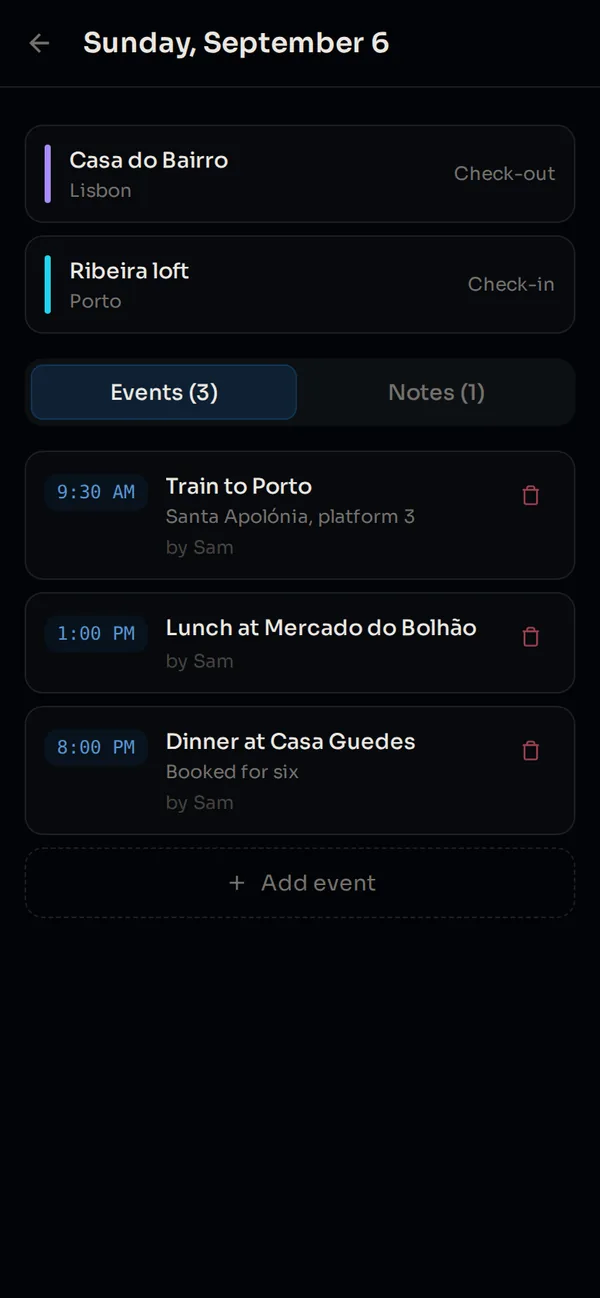
Most expense splitters stop at the money. A trip in Bunsu also has dates, a calendar of every day, the places you sleep, and the things you must not miss: the flight, the train, the dinner you booked, each at its time. Tickets and bookings go on the day as PDFs or photos, so nobody digs through email at the gate.
- A countdown until you leave, then day 4 of 10 while you are there.
- Stays laid across the calendar, with tonight's marked.
- Shared with everyone on the trip, and linked to the group where the expenses live.
- Your first trip is free. Master plans as many as you like.
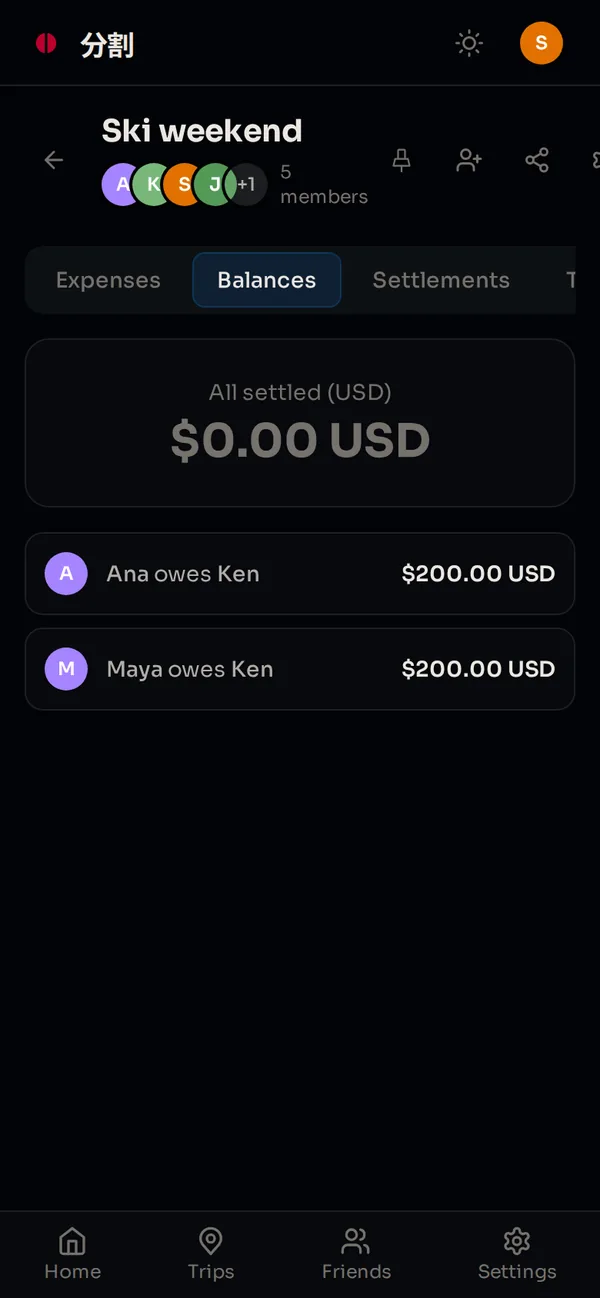
Twelve expenses. Five friends.
Two payments.
Bunsu nets what everyone paid against what they owe, then works out the fewest transfers that bring every balance to zero. A trip ends with one or two bank transfers, not a group chat full of arithmetic.
- Balances update the moment an expense lands, for everyone in the group.
- Paid someone back? Record it in a tap and the numbers move.
- Each expense keeps its own currency, with conversion for mixed trips on Master.
Someone does not have the app? Send a link.
Add them to the group as a guest and share the link. They see every expense and balance, and can add expenses themselves, in a browser, with no account and nothing to install. If they sign up later, swap them in and their history comes along.
Bunsu Master
Everything you need stays free. Master adds the power tools.
- AI receipt scan: photo in, line items out
- AI chat scan: a chat screenshot in, the expenses out
- Split by item, tip and tax in proportion
- Unlimited trips
- Recurring expenses
- Spending insights and budgets
- CSV and PDF export
- Currency conversion
- Four animated skins: Sakura, Tsukimi, Koi, Akari
- Rooftop Race skins
Subscribe in the Android app through Google Play. It unlocks on the web with the same account.
Cannot agree who pays? Race for it.
Rooftop Race is a two-thumb pixel runner inside the Android app. Left thumb jumps, right thumb slashes, highest score wins. For honor, or for the money.
Questions
Is Bunsu free?
Yes. Groups, unlimited expenses, the four split types (equal, exact, percentage and shares), settle-up, share links, Quick Split and your first trip are free, on Android and on the web, with no ads. Bunsu Master is an optional subscription for the AI features and power tools.
Do my friends need the app?
No. Add anyone to a group as a guest and send them the group link: they see every expense and balance in a browser, and can add expenses too, without an account. If they sign up later, swap them in and their history comes along.
Is there an iPhone app?
Not yet. The native app is Android. The web app works on any phone, including iPhone, from the browser or added to the home screen.
How does settle-up decide who pays whom?
Bunsu nets what everyone paid against what they owe, then finds the fewest transfers that bring every balance to zero. Twelve expenses between five people usually end in two payments.
What is Bunsu Master and how do I pay?
Master adds AI receipt scan, AI chat scan, split by item, unlimited trips, recurring expenses, spending insights, budgets, CSV and PDF export, currency conversion and four animated skins. You subscribe in the Android app through Google Play, and it unlocks on the web with the same account.
Can Bunsu plan the trip itself?
Yes, and this is where it differs from the other splitters. A trip has dates, a calendar of every day, stays with check-in and check-out, and events and notes on each day with times and attached tickets or bookings. It is shared with the people on the trip and linked to the group where the expenses live. Your first trip is free; Master adds unlimited trips.
Is Bunsu a Splitwise alternative?
Yes. It does the same job: shared groups, equal, exact, percentage and share splits, balances and settle-up. Splitwise's free plan limits how many expenses you can add each day and shows ads; Bunsu's free plan has no daily limit and no ads. Bunsu also has share links for people without the app, trip planning, and a web app on the same account. What it does not have yet is an iPhone app.
What happens to my data?
Your groups and expenses are yours. Bunsu shows no ads and sells nothing about you. You can delete your account, and everything in it, from Settings at any time.